
How to Set Up an Affiliate Program on WooCommerce

Direct answer: To set up an affiliate program on WooCommerce, you connect affiliate tracking software to your store by placing a tracking pixel on your WooCommerce order confirmation page. When a customer completes a purchase after clicking an affiliate’s link, the software captures the sale and credits the commission to the correct affiliate automatically — no manual reconciliation required. Setup takes under 30 minutes and requires no developer.
WooCommerce gives you a powerful ecommerce store on WordPress. What it does not include is built-in affiliate program functionality. To track affiliate referrals, calculate commissions, pay affiliates, and provide each affiliate with their own dashboard, you need dedicated affiliate tracking software connected to your WooCommerce store.
According to Influencer Marketing Hub’s 2024 Affiliate Marketing Benchmark Report, affiliate marketing drives an average of 16% of all ecommerce orders in the United States. WooCommerce powers over 6 million active stores globally — making it one of the most common platforms for affiliate program setup.
How WooCommerce Affiliate Tracking Works
Affiliate tracking on WooCommerce operates through three primary methods. Understanding what each one does — and where it falls short — determines how much of your affiliate program’s revenue is actually captured.
| Tracking Method | How It Works | Cross-Device? | Works Without Cookies? | Best For |
|---|---|---|---|---|
| Cookie tracking | A cookie is stored in the visitor’s browser when they click an affiliate link. Purchase within the cookie window = commission credited. | No — lost if customer switches devices | No — Safari blocks third-party cookies by default | Standard desktop traffic, short purchase cycles |
| Email address tracking | Customer’s email is permanently linked to the referring affiliate at first purchase. All future purchases — on any device — credit the same affiliate. | Yes — device-independent | Yes — no cookie required | Subscriptions, recurring billing, repeat buyers |
| Coupon code tracking | Each affiliate gets a unique promo code. Code used at WooCommerce checkout = sale credited to that affiliate, no link click required. | Yes | Yes | Video creators, podcasters, email newsletters |
Cookie-based tracking has a structural limitation. Apple’s Intelligent Tracking Prevention blocks third-party cookies in Safari by default — affecting the majority of mobile browser traffic in the US. Customers who click an affiliate link on their phone and purchase on a laptop are missed entirely by cookie-only systems.
Email address tracking is the only affiliate attribution method that creates a permanent, device-independent link between a customer and their referring affiliate — capturing commissions that cookie-based systems miss when cookies are cleared or the customer switches devices.
For WooCommerce stores with subscription products or recurring membership plans, email tracking is essential: it ensures affiliates earn commission on every renewal, not just the first payment. For a full breakdown of how each method works, see the affiliate tracking methods guide.
Step-by-Step: Connecting Affiliate Software to WooCommerce
Step 1 — Set up your affiliate software account
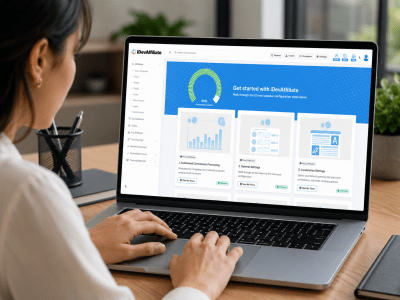
Create your account and complete the initial configuration: set your commission rate, cookie duration, payout schedule, minimum payout threshold, and payment methods. This takes approximately 15 minutes. See the full iDevAffiliate feature list to confirm the platform supports the commission structures and integrations your WooCommerce store requires.
Step 2 — Open the integration wizard and select WooCommerce
Inside your affiliate software admin, navigate to the integration section and select WooCommerce. The wizard provides a short tracking code snippet and guides you through the connection step by step.
Step 3 — Place the tracking pixel on your WooCommerce confirmation page
In your WordPress admin, go to WooCommerce → Settings → Advanced. The tracking pixel needs to fire on the order confirmation (thank you) page — the page customers land on after a successful purchase. Some affiliate software provides a WordPress plugin that handles this placement automatically. Others provide a snippet to place in your theme’s order confirmation template.
Step 4 — Test the integration
Click a test affiliate tracking link, complete a test order, and confirm the commission appears in your affiliate dashboard with the correct order amount and commission value. Once verified, the integration is live and tracking all real purchases.
Step 5 — Launch and recruit affiliates
Send invitations using the built-in invite tool. Each affiliate receives access to a branded portal with their tracking links, coupon codes, promotional banners, and earnings data. For tactics to recruit your first affiliates at no cost, see the guide to how to promote a new affiliate program for free.
The entire WooCommerce affiliate program setup — from software configuration to live tracking — takes under 30 minutes for most stores and requires no developer or plugin coding knowledge.
Commission Structures for WooCommerce Stores
| Commission Type | How It Works | Typical Rate | Best For |
|---|---|---|---|
| Flat percentage | Every sale earns the affiliate the same percentage regardless of product | 5% – 30% | Stores with consistent margins across products |
| Product-specific rate | Different commission rates set per product or category | Varies by product | Stores with wide margin variation (digital + physical) |
| Tiered / performance | Higher rate unlocked when affiliate hits a sales volume threshold | Base + bonus tier | Rewarding top performers, incentivizing volume |
| Recurring commission | Affiliate earns on every subscription renewal, not just first payment | 20% – 40% | WooCommerce Subscriptions, membership stores |
| Flat fee per sale | Fixed dollar amount per referred sale regardless of order value | $5 – $50+ | High-ticket products, predictable payout budgeting |
For WooCommerce stores with a wide range of products, product-specific commission rates give the most control. A digital download with near-zero delivery cost can carry a 40% commission, while a physical product with significant shipping costs might be set at 8%. This aligns affiliate incentives with your actual profitability rather than applying a single rate across everything.
Tiered commission structures reward the affiliates delivering the most value and give every affiliate a clear, visible incentive to increase their referral volume.
Managing and Paying WooCommerce Affiliates
Your affiliate dashboard provides a real-time view of clicks, sales, commissions, and top performers. You can approve commissions manually or set them to process automatically after a defined delay — useful for WooCommerce stores that allow returns, since the delay gives you time to confirm the sale is final before the commission is paid out.
Set a minimum payout threshold ($50–$100 is typical) so affiliates accumulate a meaningful balance before a payment is triggered. The most common payment methods for WooCommerce affiliate programs are PayPal, Venmo, Zelle, Stripe, and bank transfer.
Affiliates who can clearly see their earnings, pending commissions, and progress toward bonus thresholds stay more engaged and refer more consistently — a well-configured affiliate portal delivers this automatically.
Keeping Your WooCommerce Affiliate Program Running Well
New affiliates need resources to promote effectively. A well-stocked affiliate portal — with tracking links for specific products, pre-made banners, product descriptions, and campaign assets — reduces the friction between joining your program and making their first referral.
For seasonal promotions, notify affiliates in advance. Affiliates who know a sale is coming can prepare content, schedule posts, and brief their audiences ahead of time. According to Email on Acid’s Email Marketing Statistics, pre-scheduled email campaigns consistently outperform reactive ones — the same principle applies to affiliate content.
iDevAffiliate gives WooCommerce store owners cookie-based tracking, email-based tracking, and coupon code tracking in one platform — so every referral is captured regardless of how or when the customer completes their purchase. View the full pricing and plan options or explore the live demo before committing.
For stores running funnels alongside WooCommerce, see the guide to how to set up an affiliate program with ClickFunnels. If you also sell on Shopify, the Shopify affiliate program guide covers the platform-specific setup.
Frequently Asked Questions
Does WooCommerce have a built-in affiliate program?
No. WooCommerce does not include affiliate program functionality. To run an affiliate program on a WooCommerce store, you need dedicated affiliate tracking software connected to your store. The connection is made by placing a tracking pixel on your WooCommerce order confirmation page — setup takes under 30 minutes and requires no developer.
Where does the tracking pixel go on a WooCommerce store?
The tracking pixel goes on the WooCommerce order confirmation page — the page customers see after a successful purchase (also called the “thank you” page). In your WordPress admin, go to WooCommerce → Settings → Advanced to access this page. Some affiliate software provides a WordPress plugin that handles placement automatically; others provide a code snippet to paste directly.
Can I track recurring WooCommerce subscription commissions?
Yes. With email address tracking enabled, affiliates are credited on every renewal a customer makes — not just the first payment. The customer’s email address creates a permanent link between them and the referring affiliate. This is the most reliable method for WooCommerce Subscriptions stores, where recurring attribution is critical to affiliate program integrity.
How do I prevent commission fraud on WooCommerce?
Most affiliate software includes fraud prevention tools: duplicate commission blocking, minimum order amount thresholds, IP blocking for self-referrals, and manual approval options for commissions before they are paid. Enable these during initial setup. Requiring manual approval for new affiliates’ first commissions is a common best practice for new programs.
Do I need a WordPress plugin to connect affiliate software to WooCommerce?
Not always. Some affiliate software platforms provide a dedicated WordPress plugin for WooCommerce that handles tracking pixel placement automatically. Others use a lightweight tracking snippet you paste onto your confirmation page without a plugin. Both approaches work — check the integration wizard for your chosen software to confirm which method it uses.
What commission rate should I offer WooCommerce affiliates?
Physical product commissions typically range from 5% to 20%, depending on your margins and shipping costs. Digital products often carry rates of 20% to 50% because delivery costs are minimal. Subscription products commonly pay 20% to 40% recurring. Set the rate based on your actual product margin first, then check what is competitive in your niche to confirm it will attract quality affiliates.
You may also like

How to Set Up an Affiliate Program on BigCommerce

How to Set Up an Affiliate Program on Shopify

First Steps: 6 FREE Marketing Ideas For Your New Affiliate Program
Open Source Affiliate Tracking: What Are Your Options?
Create Your Affiliate Program
- Unlimited Affiliates
- Unlimited Commissions
- Built-In SEO Links
- Social Media Sharing
- Affiliate Program Directory
