
How to Set Up an Affiliate Program on BigCommerce

Direct answer: To set up an affiliate program on BigCommerce, you connect affiliate tracking software to your store by placing a tracking pixel on your BigCommerce order confirmation page. Every time a customer completes a purchase after clicking an affiliate’s link, the pixel fires, the sale is captured, and the commission is credited to the correct affiliate automatically — no coding required.
BigCommerce is a fully hosted ecommerce platform built for stores that want enterprise-level power without managing server infrastructure. It handles products, checkout, inventory, and payments. What it does not include is a built-in affiliate program. To track affiliate referrals, calculate commissions, and pay affiliates, you need dedicated affiliate tracking software connected to your BigCommerce store.
According to Influencer Marketing Hub’s 2024 Affiliate Marketing Benchmark Report, affiliate marketing accounts for an average of 16% of all ecommerce orders in the United States. BigCommerce powers over 45,000 online stores across more than 150 countries — making affiliate program integration a common and high-value growth strategy for its merchant base.
How BigCommerce Affiliate Tracking Works
Affiliate tracking on BigCommerce operates through three methods. Each one captures a different type of customer journey — and using all three ensures your affiliate program attributes every sale, regardless of how or when the customer converts.
| Tracking Method | How It Works | Cross-Device? | Cookie-Free? | Best For |
|---|---|---|---|---|
| Cookie tracking | A cookie is stored in the visitor’s browser at link click. Purchase within the tracking window = commission credited. | No — lost on device switch | No — blocked by Safari ITP by default | Standard desktop traffic, short purchase cycles |
| Email address tracking | Customer’s email is permanently linked to the referring affiliate at first purchase. All future orders — any device — credit the same affiliate. | Yes — device-independent | Yes — no cookie required | Recurring buyers, subscriptions, high-LTV products |
| Coupon code tracking | Each affiliate gets a unique promo code. Code used at BigCommerce checkout = sale credited, no link click needed. | Yes | Yes | Influencers, video creators, podcast sponsorships |
Cookie-based tracking has a structural blind spot: device-switching. A customer who discovers your store through an affiliate’s content on their phone and completes the purchase two days later on a laptop may not be tracked correctly. Apple’s Intelligent Tracking Prevention blocks third-party cookies in Safari by default — affecting the majority of mobile browser traffic in the US. This is real, unattributed revenue for affiliate programs that rely solely on cookies.
Email address tracking is the only BigCommerce affiliate attribution method that permanently connects a customer to their referring affiliate — capturing every future purchase on any device, long after a tracking cookie has expired or been blocked.
For a full breakdown of how each method works technically and where each one falls short, see the affiliate tracking methods guide.
Step-by-Step: Connecting Affiliate Software to BigCommerce
Step 1 — Set up your affiliate software account
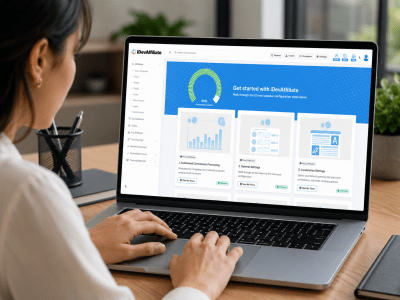
Create your account and complete the initial configuration: commission rate, tracking cookie duration, payout schedule, minimum payout threshold, and the payment methods you will offer affiliates. See the full iDevAffiliate feature list to confirm the platform supports the commission structures and integrations your BigCommerce store requires.
Step 2 — Select BigCommerce in the integration wizard
Inside your affiliate software admin, open the integration wizard and choose BigCommerce. The wizard provides a tracking code snippet configured specifically for your account and for BigCommerce’s order confirmation flow.
Step 3 — Place the tracking pixel using BigCommerce Script Manager
In your BigCommerce admin, navigate to Storefront → Script Manager. Create a new script, set the location to “Order Confirmation” page, and paste the tracking code. Script Manager is the recommended placement method for BigCommerce because it places the code precisely on the page that fires after a completed purchase — not on every page visit. This prevents false commission credits from page refreshes or incomplete orders.
Step 4 — Verify the integration
Click a test affiliate tracking link, complete a test order, and confirm the commission appears in your affiliate dashboard with the correct order amount and commission value. Once verified, the integration is live and tracking all real purchases.
Step 5 — Configure your affiliate portal and invite affiliates
Set up your affiliate signup page, branding, and terms. Use the built-in invite tool to send invitations to your first affiliates. They sign up, access their portal, and receive tracking links and coupon codes immediately. For strategies to recruit affiliates at no upfront cost, see the guide to how to promote a new affiliate program for free.
The full BigCommerce affiliate program setup — from software configuration to live pixel tracking — takes under 30 minutes for most stores and requires no developer or custom coding.
Commission Structures for BigCommerce Stores
| Commission Type | How It Works | Typical Rate | Best For |
|---|---|---|---|
| Flat percentage | Same rate applies to every sale regardless of product | 5% – 30% | Stores with consistent margins across product lines |
| Product-specific rate | Different commission rates set per product or category | Varies by product | Stores with wide margin variation (digital + physical) |
| Multi-tier commission | Affiliates earn on sales from affiliates they recruit | Base + sub-tier % | Programs that want affiliate-driven recruitment |
| Recurring commission | Affiliate earns on every subscription renewal | 20% – 40% | BigCommerce subscription or membership products |
| Flat fee per sale | Fixed dollar amount per referred sale regardless of order value | $5 – $100+ | High-ticket products, predictable cost-per-acquisition budgets |
For BigCommerce stores with a wide product catalog, product-specific rates give the most strategic control. A digital download with near-zero delivery cost can support a 40% commission; a physical product with significant fulfilment costs might be set at 8%. This aligns affiliate incentives directly with your actual margins rather than applying a blended average that over- or under-pays based on what affiliates actually promote.
Multi-tier commission structures turn your best affiliates into recruiters — expanding your affiliate network automatically without requiring you to source, vet, and onboard every new affiliate yourself.
Managing Affiliates and Processing Payments
Your affiliate software dashboard provides real-time visibility into every affiliate’s clicks, conversions, commission balance, and payment history. You can identify top performers, see which affiliates signed up but haven’t generated a referral yet, and run targeted re-engagement campaigns for dormant program members.
Commission approval can be set to automatic or manual. Manual approval gives you a window to account for returns and refunds before commissions are released — a standard delay of 15 to 30 days is common for BigCommerce physical product stores. Set a minimum payout threshold ($50–$100 is typical) so affiliates accumulate a meaningful balance before a payment is triggered. Common payout methods include PayPal, Venmo, Zelle, Stripe, and bank transfer.
According to eMarketer’s 2024 affiliate marketing analysis, programs with transparent, on-time payments and real-time affiliate dashboards consistently outperform those where affiliates cannot see their earnings in real time. Affiliates who have clear visibility into their performance stay engaged and refer more consistently.
An affiliate who can see their clicks, pending commissions, and payout timeline in real time is far more likely to keep promoting — a well-configured affiliate dashboard is a retention tool, not just a reporting tool.
Running Promotions Through Your BigCommerce Affiliate Program
Affiliate programs generate the most volume when affiliates have advance notice of promotions. Before a sale, new product launch, or seasonal campaign, brief your affiliates with everything they need: the promotion dates, the discount being offered, pre-made creative assets, and tracking links or coupon codes ready to use. Affiliates who are prepared publish content in advance and drive significantly more traffic than those who find out about a promotion after it starts.
For BigCommerce stores selling across multiple channels, connecting your affiliate program to a tracking setup that covers those channels extends coverage beyond your main store. iDevAffiliate supports BigCommerce alongside 150+ other platforms and integrations, including stores running simultaneous sales funnels and multi-storefront setups.
If you run sales funnels alongside your BigCommerce store, see the guide to how to set up an affiliate program with ClickFunnels. For stores operating a WooCommerce site alongside BigCommerce, the WooCommerce affiliate program guide covers the platform-specific setup. You can also compare iDevAffiliate pricing plans or explore the live demo before getting started.
Frequently Asked Questions
Does BigCommerce have a built-in affiliate program?
No. BigCommerce does not include affiliate program functionality. To run an affiliate program on a BigCommerce store, you connect dedicated affiliate tracking software by placing a tracking pixel on your order confirmation page using BigCommerce’s Script Manager. No developer is required and setup takes under 30 minutes.
Where does the tracking code go on BigCommerce?
The tracking code is placed using BigCommerce’s Script Manager (Storefront → Script Manager), set to fire on the Order Confirmation page. This ensures the pixel fires only after a successful purchase — not on every page visit — which prevents false or duplicate commission credits.
Can I track affiliate commissions on BigCommerce subscription products?
Yes. With email address tracking enabled, affiliates earn commission on every subscription renewal a customer makes — not just their first payment. The customer’s email address creates a permanent record linking them to their referring affiliate, ensuring every billing cycle is attributed correctly regardless of which device the customer uses.
How do I pay BigCommerce affiliates?
Your affiliate software manages payments directly. Common methods include PayPal, bank transfer, Venmo, Zelle, and Stripe. Set a payout schedule (weekly, bi-weekly, or monthly) and a minimum payout threshold. Payments are processed automatically when an affiliate’s balance reaches the threshold.
What commission rate should I set for BigCommerce affiliates?
Rates vary by product type and margin. Physical products typically range from 5% to 20%. Digital products often carry rates of 20% to 50% because delivery costs are minimal. Set the rate based on your actual product margin first, then verify it is competitive in your category by checking what comparable affiliate programs in your niche offer.
Can BigCommerce affiliates use coupon codes instead of tracking links?
Yes. You can assign a unique promo code to each affiliate. When customers enter the code at BigCommerce checkout, the sale is credited to that affiliate without needing a link click. Coupon code tracking is particularly effective for affiliates who promote via video content, podcasts, and social media where links are not directly clickable.
You may also like

How to Set Up an Affiliate Program on WooCommerce

How to Set Up an Affiliate Program on Shopify

First Steps: 6 FREE Marketing Ideas For Your New Affiliate Program
Open Source Affiliate Tracking: What Are Your Options?
Create Your Affiliate Program
- Unlimited Affiliates
- Unlimited Commissions
- Built-In SEO Links
- Social Media Sharing
- Affiliate Program Directory
