
Improve Affiliate Link Tracking Accuracy in WooCommerce

Affiliate links help track which partners bring in customers and drive sales, but these links do not always stay accurate over time. Keeping them consistent in WooCommerce is key if you want to avoid missing credits or broken referrals. There are over 4,456,386 live stores available on the WooCommerce platform as of Q1 2026, and elaborate WooCommerce affiliate tracking solution gives you the ability to follow your links and confirm your partnerships are paying off. With our WooCommerce integration, you can connect your store in just a few minutes using a step-by-step onboarding process.
As systems change or plugins are added, inaccurate links can begin to pile up without anyone realizing it right away. Our goal here is to walk through a few ways to improve how affiliate links are handled so they perform better and create fewer headaches for everyone involved.
Check for Link Consistency Across Your Site
One easy way to lose affiliate credit is by using different versions of your links across channels. When URLs show up in multiple forms, it becomes harder to tie those clicks back to the right affiliate. That is why the first step is to bring everything into one structure.
Start by checking all of the main places you use affiliate links. This includes:
- Product pages
- Blog posts
- Sidebars or banner areas
- Email templates
- Social post layouts
Once you find them, compare how each is built. Are they pointing to the same base URL? Do the parameters match? If one is missing something, or if you find old links that were set up using different patterns, they may not track properly anymore.
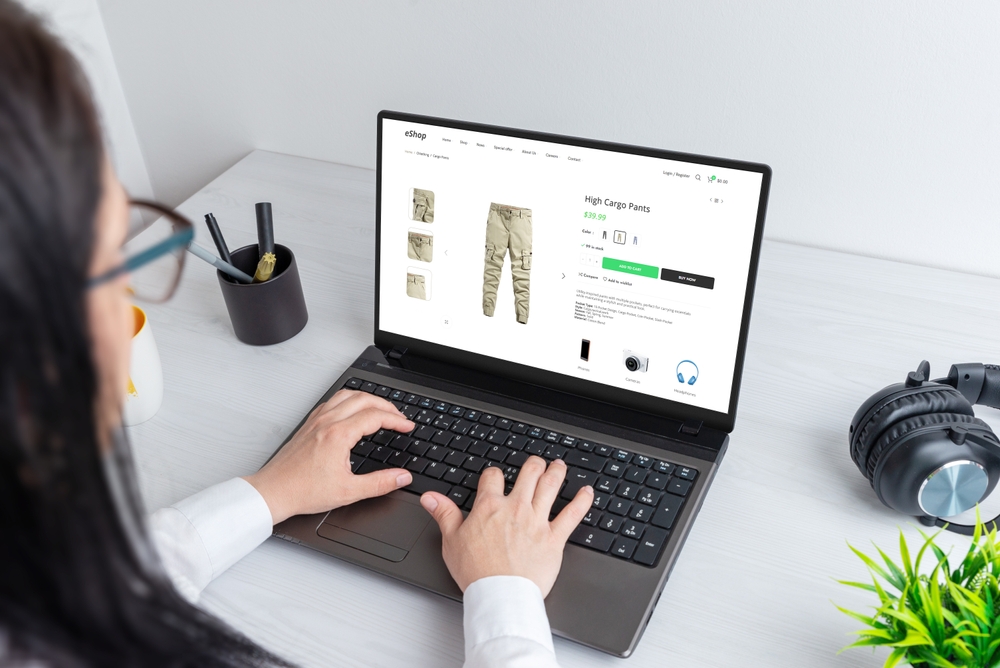
Do not forget to click through each one and confirm they are still landing on live, correct pages. Redirects or retired links can cause affiliates to lose out on traffic they actually earned. Fixing these gives your whole program a better foundation.
Set Clear Guidelines for Your Affiliate Partners
Expecting dozens of affiliates to build perfect links on their own is not realistic. Mistakes will happen unless they are provided with tools and support that keep things simple. That means doing the setup work up front, then making it easy to follow.
We recommend offering ready-made links that are already tested. When affiliates copy links from a trusted source, they are less likely to change things and break the tracking. It is helpful to organize these in a place where they can easily grab what they need, whether it is a product-specific referral or a general homepage link.
It is important to explain how those links should be used. Include brief notes showing where and how to use each type, what not to change, and who to contact when something is not working.
Any time your links change, communicate it clearly and early. A global update might seem minor from the back end, but for affiliates, it could mean their links suddenly stop counting. Clear, timely guidance avoids confusion and lost credit.
Create Your Affiliate Program
Instant account set up. All features unlocked in base plan. Professional onboarding included.
Avoid Conflicts From Third-Party Tools and Plugins
WooCommerce sites often rely on add-ons and extras to run more smoothly, but these tools can complicate how affiliate links behave once they are clicked. Some plugins rewrite URLs. Others can remove query data that would have told you where the customer originally came from.
To keep those links working right, check the tools that interact with your links after they are clicked. Pay close attention to:
- Popup blockers
- Redirect handlers
- Cookie consent tools
- Speed optimization plugins
Any one of these could block or change parts of a link without warning. Sometimes, the edits are subtle enough that the page still loads, but tracking fails quietly in the background. Our WooCommerce plugin includes a built-in video guide that walks through connecting your cart and tracking, which helps reduce mistakes when your layout or plugins change.
The best protection against this is real-world testing. After turning on or updating a plugin, go through the full user journey the way an affiliate visitor would. Click the shared link, visit the site, and complete a sample purchase. This test helps catch missing conversions or broken data connections before your partners do.
Track Link Performance by Device and Channel
Different devices and traffic sources can affect how well affiliate links track. A link that works fine on desktop might not behave the same on a mobile browser. Or the same link might fail in an email but work perfectly on X or a blog.
To improve your accuracy, review performance by device and by source. Watch for patterns like these:
- Lower conversions from mobile users
- Links that underperform on email campaigns
- Unexpected drop-offs in social clicks
These gaps can highlight a deeper issue, often related to how links are copied, how cookies are handled, or whether your tracking script loads on every page. If mobile users are not being tracked, the issue may be tied to how fast the mobile view loads your scripts or whether certain plugins delay loading times.
Fixing these areas means fewer unknowns between the click and the sale. That lets the software do its job and assign credit correctly.
Keep Your WooCommerce Tracking Setup Updated
WooCommerce affiliate tracking depends heavily on how your setup handles referrals and page views after a click. Over time, updates to themes or plugins can knock something out of place. All it takes is one small script being assigned to the wrong header section for tracking to stop working.
We suggest regularly checking a few basic elements:
- Make sure your tracking scripts are installed on the right part of your theme
- Review your third-party integrations every time there is a major WooCommerce or plugin update
- Perform a test purchase every few months to confirm that referrals are being counted and credited properly

Tools and themes update more frequently than most people realize. What worked fine six months ago might fail silently after a site refresh. Getting ahead of these changes can save you a lot of troubleshooting later on. We integrate with WooCommerce through our WordPress plugin and through the shopping cart integration wizard in your iDevAffiliate admin center, so you can review and adjust those integration settings whenever your store changes.
Build Confidence With Reliable Results
Accurate affiliate tracking comes down to a few systems working together without interruption. Keeping your links clean, your scripts updated, and your tools compatible puts you in a better position to spot gaps and respond before they grow into larger problems.
When links are set up well and tested often, everyone benefits. Affiliates feel confident that their work matters. Store managers spend less time trying to fix tracking issues. Program performance becomes easier to measure and improve.
The more reliable your process, the less you have to second guess which parts are working. That is what makes these steps worth the extra effort. Real clarity starts with simple consistency.
Whether you are improving your referral workflow or planning to update your partner structure during a larger store update, now is a good time to consider how your tracking performs. From link consistency to plugin behavior, every piece plays a part in your success. A smart start is keeping your tools prepared to handle proper woocommerce affiliate tracking without giving up control. At iDevAffiliate, we make that easier to manage, so send us a message when you are ready to talk through your next move.
Create Your Affiliate Program
Instant account set up. All features unlocked in base plan. Professional onboarding included.
You may also like

How to Set Up an Affiliate Program on BigCommerce

How to Set Up an Affiliate Program on WooCommerce

How to Set Up an Affiliate Program on Shopify

First Steps: 6 FREE Marketing Ideas For Your New Affiliate Program
Create Your Affiliate Program
- Unlimited Affiliates
- Unlimited Commissions
- Built-In SEO Links
- Social Media Sharing
- Affiliate Program Directory
